What Layout Analyzers Do Well
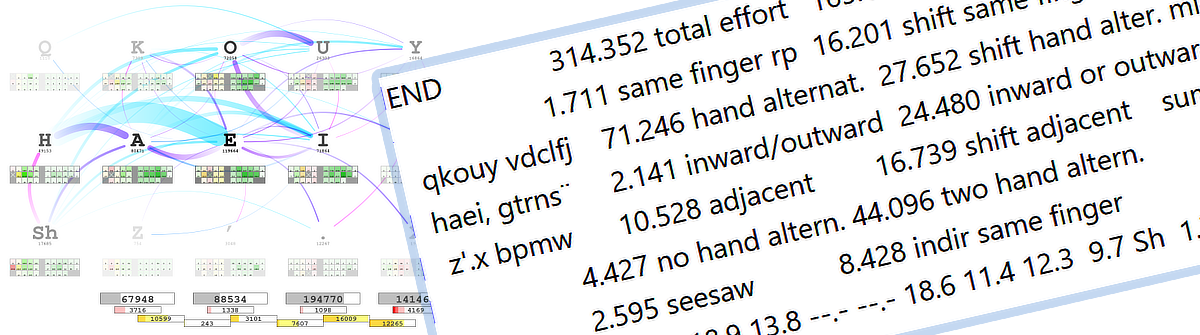
Layout analyzers are powerful tools. They can save many hours of manual work and help to get a good grasp of a keyboard layout much faster than without. They provide objective data of keyboard layout characteristics, such as bigram distributions, which would take weeks to calculate by hand. Some offer additional visual insights such as showing finger paths, heatmaps of finger use, and hand alternation charts. They let you compare dozens of layouts against consistent metrics. They have helped discover genuinely useful layouts like AdNW, Enthium, KOY and Graphite.
Several analyzers are commonly used in the community. Here is a short list of some interesting ones: opt is particularly well-documented and supports extensive customization, including finger-path visualizations. Cyanophage’s playground is a web-based tool useful for quickly exploring layouts and identifying hard-to-type words. Jalo offers another perspective with its own metric set, where you can easily adjust the parameter weightings. Dario Görtz’s analyzer focuses on layout optimization with configurable weights as well and supports additional layers. Aba rounds out the field with a bigram-focused approach. Each has different strengths and blind spots — which is itself worth keeping in mind.
But analyzers have significant limitations. Understanding these limitations is essential before trusting an analyzer’s conclusion that one layout is “better” than another.
How Analyzers Score a Layout
All analyzers try to score how comfortable or easy certain finger movements are. They either provide numbers for some kind of effort (where lower is better) or for metrics considered desirable (where higher is better). Key position and same-finger repetition are typical effort factors; hand alternation and inward rolls are examples of the desirable kind. A general discussion of how to rate a keyboard layout will be covered in a forthcoming article on keyboard design principles.
The Three Core Limitations of Layout Analyzers
Limitation 1: Not All “Bad Motions” Are Equal, But Analyzers Treat Them As Equal
Same-finger bigrams (SFBs) are a good example. An SFB on a strong finger (index or middle finger) from the top row back to the home row (like E-D in QWERTY) is fundamentally different from an SFB on a weak finger (ring finger or pinky) from the home row down to the bottom row (like S-Z in QWERTY).
Why the difference? When you press E-D, your finger leaves the home position briefly and returns naturally as part of the next keystroke. The motion still flows. Depending on the keycaps you might even be able to “rake” the finger from one key to the other. In contrast, S-Z requires your weak finger to stretch down and return to home position — a much more disruptive motion.
What analyzers typically do is count both as “1 SFB” with equal weight. These motions have different real ergonomic costs, so a layout with a moderate count of SFBs might actually feel better than one with fewer, if most of those SFBs are the harmless top-to-home variety on strong fingers.
The same issue applies to scissors (two-finger twisting motions). Q-S in QWERTY is worse than A-W, but most analyzers count all scissors equally. A layout with more scissors might feel better if they are all low-impact combinations. Some scissors that look bad on paper actually feel fine in practice — E-F in QWERTY is one example.
A proper model would need a table rating all possible finger-pair combinations by their actual ergonomic cost. This is theoretically doable, but validating it would require controlled psychophysical experiments with real typists.
Limitation 2: Metrics Are Combined Without Understanding Their Relative Weight
Layout analyzers typically measure multiple metrics: same-finger bigrams, hand alternation, inward rolls, outward rolls, scissors, redirects (sequences where your fingers reverse direction on the same hand mid-word), distance traveled, and more. These are often combined into a single score.
The problem is that we do not know how much each metric actually contributes to how good a layout feels. Nor is it well understood how combinations of finger motions across bigrams and trigrams interact. When an analyzer weights SFBs at 30%, hand alternation at 25%, scissors at 20%, and other factors at 25% — who decided on those weights? Were they tested with real typists, or were they a reasonable-sounding guess?
The mathematical consequence matters here. Imagine an analyzer says Layout A has 2.3% total effort and Layout B has 2.1% effort. The conclusion seems clear: Layout B is better by 0.2%. But if the underlying uncertainty is several times larger than that gap — a plausible scenario given that the weights are not empirically validated — then that 0.2% difference is noise, not signal. It is like measuring a door’s width to 0.1 mm precision when your tape measure has ±1 mm error.
Determining proper weights would require controlled experiments with both trained and untrained typists — empirical questions that the research largely has not answered yet. Until then, when two layouts are numerically close, do not try to pick a winner based on the combined score. What you can reliably do is compare layouts on a single metric at a time and get a basic sense of how they differ on that one dimension — nothing more, nothing less.
The limitation comes from the fact that your model is in most cases not fine-grained enough and for example will often miss nuances such as the “rakeable SFBs” outlined above.
Limitation 3: Layer Switches Are Completely Ignored but They Are Crucial
Layout analyzers examine the character positions of the base layer (where all the letters live). They mostly ignore one of the biggest ergonomic factors: where your modifier and layer-switch keys are placed, and how they are implemented.
This matters in several ways: shifted characters require Shift; language-specific characters like umlauts or accents often require layer keys or dead keys; one-shot vs held layer keys have very different ergonomic costs; and timed approaches like auto-shift or combos — where a tap or a brief hold produces different output — are typically not modelled at all.
When you hold Shift while typing a capital letter, your hand is in a constrained position and cannot move naturally. One-shot Shift — tap once, next keystroke is capitalized — keeps your hand free between every keystroke. Both the placement and the one-shot behavior are real ergonomic advantages that simply do not get evaluated in all analyzers I am aware of.
In QWERTY, Right-Shift sits on the pinky at the bottom corner — a stretch that is annoying for English and genuinely taxing for German, where capitalizing nouns is mandatory and Shift is in constant use. The position of Shift matters and should be weighed accordingly. For a language like Hungarian, with many diacritics, the placement of corresponding layer or dead keys becomes crucial. An analyzer ignoring this will produce a layout that can feel very awkward in practice.
Magic keys (used in layouts like Magic Sturdy) add another dimension the analyzer cannot fully capture. These are context-aware keys that produce different output based on surrounding keystrokes, often to eliminate an SFB or awkward redirect. An analyzer can be configured to account for magic keys — so it can confirm whether they are improving the intended metrics. Note that most analyzers do not support magic keys. But even the ones which do take them into account cannot measure the cognitive side: magic keys require learning when they activate and trusting that they will behave as expected. Some typists find this becomes natural with practice and love magic keys; others find the conditional behavior unpredictable and mentally tiring even when the physical metrics look better. It is a trade-off between physical ergonomics (measurable) and cognitive ergonomics (not measurable) — whether investing the time to become fluent in using magic keys depends on the individual.
Side note: I personally think a good layout will not benefit that much from them. Instead using text expansion tools such as Espanso is an approach which is easier to learn and more flexible than magic keys.
Why Limitations Exist: The Structure of Analyzers
These limitations do not exist in isolation. They come on top of several structural challenges.
The corpus problem. An analyzer needs a text corpus to analyze, and different corpora produce different “optimal” layouts. A typing-test corpus favors general-purpose layouts; a programming corpus prioritizes symbol access; a German corpus makes Shift placement more important. An optimizer produces a layout optimal for that corpus — not necessarily for your actual typing. If you code half the time and write messages the other half, but the analyzer trained only on prose, the result may feel wrong in practice. Even the corpus for technical writing will likely differ much from prose.
The hardware variability problem. Analyzers typically assume a standard ANSI or ISO row-staggered keyboard. In reality, keyboards vary enormously: column-staggered splits differ significantly in their stagger amount; ergonomic splits offer varying thumb cluster sizes and key counts; key spacing (MX vs Choc), thumb key dimensions, and keycap profile all affect which keys are comfortable and precise to use. Nontraditional input devices like the Svalboard are difficult to map meaningfully to standard analyzer assumptions; and hand size determines what is reachable at all. A layout optimized for one hardware type may feel less natural on another, and the “optimal” reach map differs accordingly.
The search algorithm problem. Analyzers use algorithms — usually simulated annealing or genetic algorithms — to search the space of possible layouts. The search space is enormous (47 keys, tens of thousands of possible bigrams), and perfect optimization is computationally infeasible. The algorithm may find a very good layout that is not the best one — like a hiker who climbs a tall hill and declares it the peak without seeing the taller mountain nearby. Optimizer-generated layouts are usually good starting points, but not guaranteed to be globally optimal.
All Limitations Combined: A Practical Example
All of these factors interact in real layouts. Exploring three concrete examples shows what the numbers capture and what they miss.
Graphite is a current highly regarded alternative keyboard layout. It is optimized for English and achieves low SFBs (1.1% by opt with the supplied corpus), excellent hand alternation, and good rolls on standard ANSI hardware. Shift stays in the standard pinky position. For English-only typing on a conventional keyboard, the analyzer picture is reasonably accurate.
anymak:END was optimized across equal weighting of English, German, and Dutch, and designed to work identically on both row-staggered and column-staggered keyboards — avoiding the ANSI B-key position entirely to preserve the same fingering across hardware types. Its SFB count is higher at 1.7%, but most of those SFBs fall between the top row and home row on strong fingers (index/middle) — the comfortable type. Shift is placed in an easily reachable position and implemented as one-shot on both hands, eliminating Shift-related SFBs and freeing hand movement between keystrokes.
An analyzer comparing these two will show Graphite winning on SFBs and the layouts roughly equivalent on hand alternation. That is accurate as far as it goes. What it misses: many of anymak:END’s SFBs are structurally cheap; its Shift design gives a practical advantage that does not appear in any metric; and it was deliberately built to feel the same across different hardware, something no analyzer takes into account, but which you will see when looking at the design principles. If you type German regularly, the Shift optimization alone may outweigh the SFB difference — but the numbers will not tell you that. And even with hardware-aware design, an analyzer will not fully reflect actual finger effort unless it is configured with the exact key positions and reach characteristics for the specific user and their keyboard.
Enthium illustrates hardware dependency in a starker way. It places common characters on thumb keys rather than finger keys.
What an analyzer sees: lower distance traveled, different SFB and alternation patterns, and potentially a lower overall effort score.
What it misses: thumb keys require a split keyboard with a thumb cluster — the layout cannot be used on a standard keyboard or laptop; the learning curve is high because thumb-based placement is fundamentally different from standard finger typing; and thumb ergonomics differ from finger ergonomics in ways that cause some users discomfort with heavy thumb-intensive layouts.
The raw verdict is that Enthium is more efficient than non-thumb layouts. Whether that is true for you depends entirely on whether you want or can live with the constraints of a thumb-layout. The analyzer results will give you no guidance in that regard at all. Layouts still require human judgment.
How to Use Analyzers Wisely
Given these limitations, here is how to get genuine value from layout analyzers:
1. Use analyzers for exploration, not gospel. Run an analyzer on several layout candidates. Use the graphical output — finger paths, heatmaps, hand alternation charts — to build an intuitive picture of the differences alongside the numbers. The finger-path charts from opt are a particularly useful complement.
2. Compare metrics separately, not as a combined score. Look at individual metrics in isolation: how many SFBs and where are they (top-row-to-home is less of a concern than home-to-bottom); hand alternation and inward rolls (higher is better for both); scissors and their type (pinky scissors are worse than index-finger scissors; which finger is up matters); redirects, especially on weak fingers. Usage distribution of fingers; most people prefer not to use the pinky finger too much for example. A layout strong in one area will often be weaker in another — the goal is not the perfect layout, which cannot exist, but the right balance for your needs.
3. Match the corpus to your actual typing. If you write code, use a programming corpus. If you write primarily in German, use German text with proper capitalization and umlauts. Make the corpus large enough — the opt documentation has guidance on how to verify this and can also combine different copera.
4. Factor in layer-key placement manually. Ask yourself: where are my Shift and other layer keys? Are they one-shot or held, or do you use timed approaches like auto-shift or combos, or home-row mods? Are they on weak fingers or strong ones, or on thumbs? If you type heavily in a language with frequent capitals or diacritics, is layer placement considered? This is a significant portion of the optimization space that analyzers routinely miss.
5. Test numerically similar layouts by actually typing. When an analyzer shows two layouts as nearly equivalent, do not try to pick based on small score differences. Try both with a layout simulator that remaps your current layout to the candidate; type real text that reflects your actual use. Frequently used words are a good start; it is also worth identifying “ugly” words — sequences that play to a layout’s weak spots. Cyanophage’s analyzer is useful for finding these. Your hands will tell you things the metrics will not.
6. Use the analyzer to understand trade-offs, not to declare a winner. When you have a shortlist of 2–3 layouts, use the analyzer to characterize what each one prioritizes: Layout A optimizes for hand alternation but has more SFBs; Layout B minimizes SFBs but uses more same-hand patterns; Layout C prioritizes inward rolls at the cost of distance. This framing helps you predict which layout will suit your hands. The numerical winner may not be the best choice for you.
7. Consider what hardware the layout was designed for. If a layout was optimized for one keyboard type, some of its advantages may not carry over to yours. Where possible, configure the analyzer to reflect your actual physical key arrangement.
8. Verify how metrics are weighted. Layout optimizers carry two kinds of weights: the effort value assigned to each key position (reflecting how hard that key is to reach), and the relative weight given to each metric — how much SFBs are penalized versus hand alternation rewarded, for example. If either set of weights is based on guesswork rather than validated data, the combined effort score is less reliable than it appears. Check both: adjust per-key position values to match your hardware and hand size, and consider whether the metric weights reflect what actually matters to you.
An extra tip you should consider in addition to the analyzer output:
9. Decide on your approach for modifier and navigation keys. A large amount of computer usage involves not only text input but navigating and editing text. Will you use dedicated modifier and navigation keys or use layers and / or approaches such as home-row-mods? This is an important decision which largely influences the general computer usage. As a note, anymak:END realizes both a navigation and shortcut layer as well as bottom-row-mods to create a holistic keyboard solution.
What Makes a Good Analyzer?
A more complete analyzer would weight metrics empirically through controlled experiments with real typists; support multiple corpora so users can train on their actual typing patterns; account for hardware differences including custom reach maps; include modifier placement as part of the optimization rather than an afterthought; report a confidence range around scores rather than false precision; and provide trade-off analysis showing where each layout wins and loses individually.
No current analyzer does all of these. opt comes close in terms of documentation depth and configurability, but it still carries several of the limitations described here.
Key Takeaways
Analyzers are guides, not oracles.
- They provide valuable objective data and save enormous time — but their scores rest on unvalidated weights and simplifying assumptions.
- Not all bad motions are equal: an SFB on a strong finger between top row and home row costs less than one on a weak finger reaching to the bottom row. Analyzers typically cannot see this distinction.
- Combined effort scores may be less meaningful than they appear. Compare individual metrics separately; differences in the total score can be smaller than the underlying measurement uncertainty.
- Layer-key placement — where Shift lives, whether it is one-shot, held, or timed, how language-specific characters are entered — is a major ergonomic factor that most analyzers ignore entirely.
- Analyzer results depend heavily on corpus and hardware assumptions. A layout optimal for one context may not be optimal for yours.
Conclusion
Analyzers are one tool among several. The design principles behind a layout, its finger-motion patterns, and hands-on testing with a layout simulator are all worth combining with analyzer output — future articles on this site cover each of those approaches. Use analyzers to explore and understand trade-offs, look past the combined score to individual metrics, and then let your hands decide.